Introducing Foreground Images
Turn now has a third visual layer — and it’s wide open for interpretation.
Turn has always had two visual layers to express yourself: the background and the disc image. We’ve seen some incredible examples of both in action — everything from minimal album artwork spinning on a gradient to full bleed photography behind a custom vinyl design.
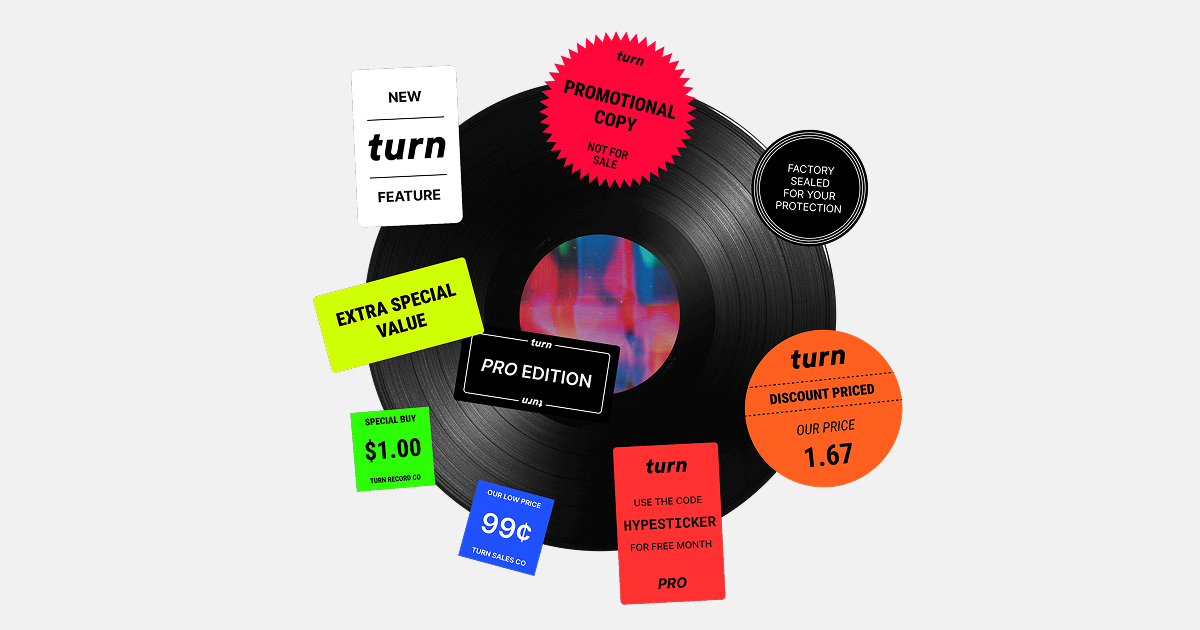
Today we’re adding a third layer: the foreground image.
Turn Pro users can now upload an additional image that sits on top of the spinning disc, adding a new dimension to your videos. The inspiration came from vinyl culture — specifically hype stickers and obi strips. Those little paper strips wrapped around Japanese pressings. The extra bit of information layered onto the physical object that makes it feel more considered, more intentional.
The foreground works the same way. It’s a callout. A badge. A detail.
How It Works
Upload any JPG, PNG, or WebP image with a transparent background — a sticker, an obi strip, a song title, a tour date, a logo — and it’ll sit centered right on top of the disc. It works across all export formats: square, landscape, and portrait. So whether you’re making content for Instagram, TikTok Reels, or YouTube Shorts, your foreground travels with it.
The key is the transparent background. Think of it like a sticker sheet. If your PNG has a transparent background, only the artwork shows — the disc still spins underneath. If your image is opaque, it covers the center of the disc entirely. Both are valid. Both look good depending on the effect you’re after.
What To Use It For
We had a specific use case in mind when we built this, but the feature is genuinely open to interpretation. A few ideas:
Hype stickers — The classic. A round or die-cut sticker design with artist name, release info, or a “limited edition” callout. Feels like a real record.
Obi strips — A tall, thin strip of text running vertically across the disc. Track listing, catalog number, label name. Very Japanese pressing, very collector.
Song titles or release dates — Simple, effective. A clean title treatment that tells people exactly what they’re listening to.
Your logo — For producers and DJs, a watermark-style logo centered on the disc signals ownership without being heavy-handed.
Tour dates or upcoming shows — Layer your next run of shows onto a new single’s Turn video. Promotion inside promotion.
Get the Look
The cleanest results come from images prepared at 1080×1080px with a transparent background. Bring your design into Figma, Photoshop, or Canva, build your sticker or obi strip on a transparent canvas, export as PNG, and upload it to Turn as your foreground.
The disc will still spin underneath. The foreground sits still. The contrast between the two is part of what makes it interesting.
Try It Now
The foreground image is available to all Turn Pro subscribers. If you’re on the free plan, upgrade to Pro for $10/month to unlock foreground images along with longer audio, more export sizes, vinyl disc designs, and background image uploads.
We built this because we wanted to give musicians and creators more ways to make something that feels like theirs. We can’t wait to see what you do with it.
Thanks to everyone who supports Turn with a Pro subscription. Have a feature idea? Reply and let us know — we build based on what you ask for.